Writease
Features How It Works Compare Pricing Support
Get Started Free
Now Available Worldwide

Write it down.
AI handles
the rest.

Writease is a smart notetaking app with a built-in canvas — write, draw, annotate freely. Then let AI instantly turn your notes into summaries, flashcards, mindmaps, quizzes, podcasts, and more.

20+

AI Tools

Built-in

Notetaking Canvas

Free

to Start

Writease App – AI-powered notetaking
Extract Text AI Summaries Flashcards Mindmaps Audio Transcription MCQ Quizzes Solve Problems Timelines AI Podcast Mnemonics Execute Code Learning Coach Extract Text AI Summaries Flashcards Mindmaps Audio Transcription MCQ Quizzes Solve Problems Timelines AI Podcast Mnemonics Execute Code Learning Coach

How It Works

Three steps to smarter study

Everything lives in one app. No switching, no exporting, no friction.

1

Write Your Notes

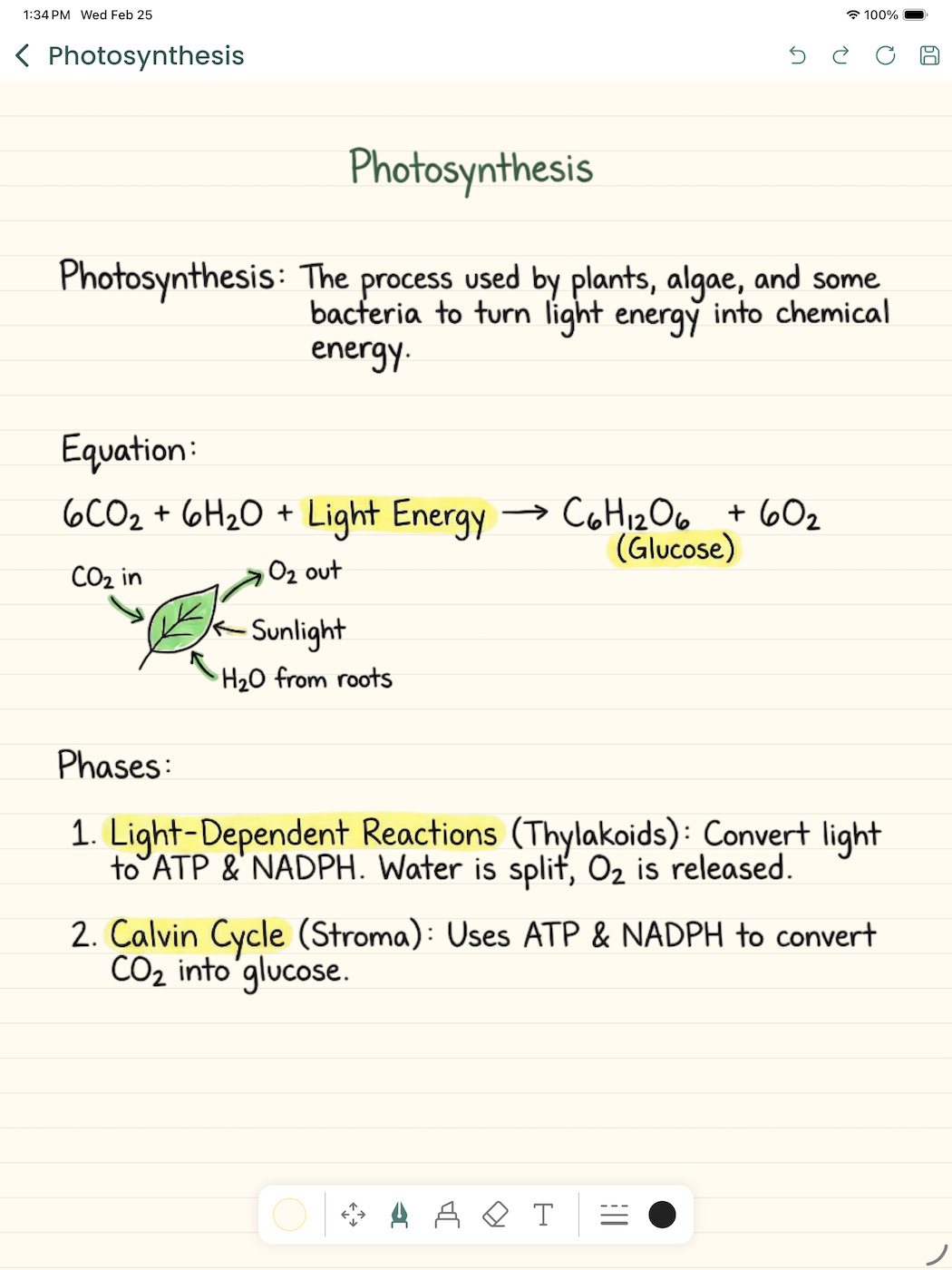
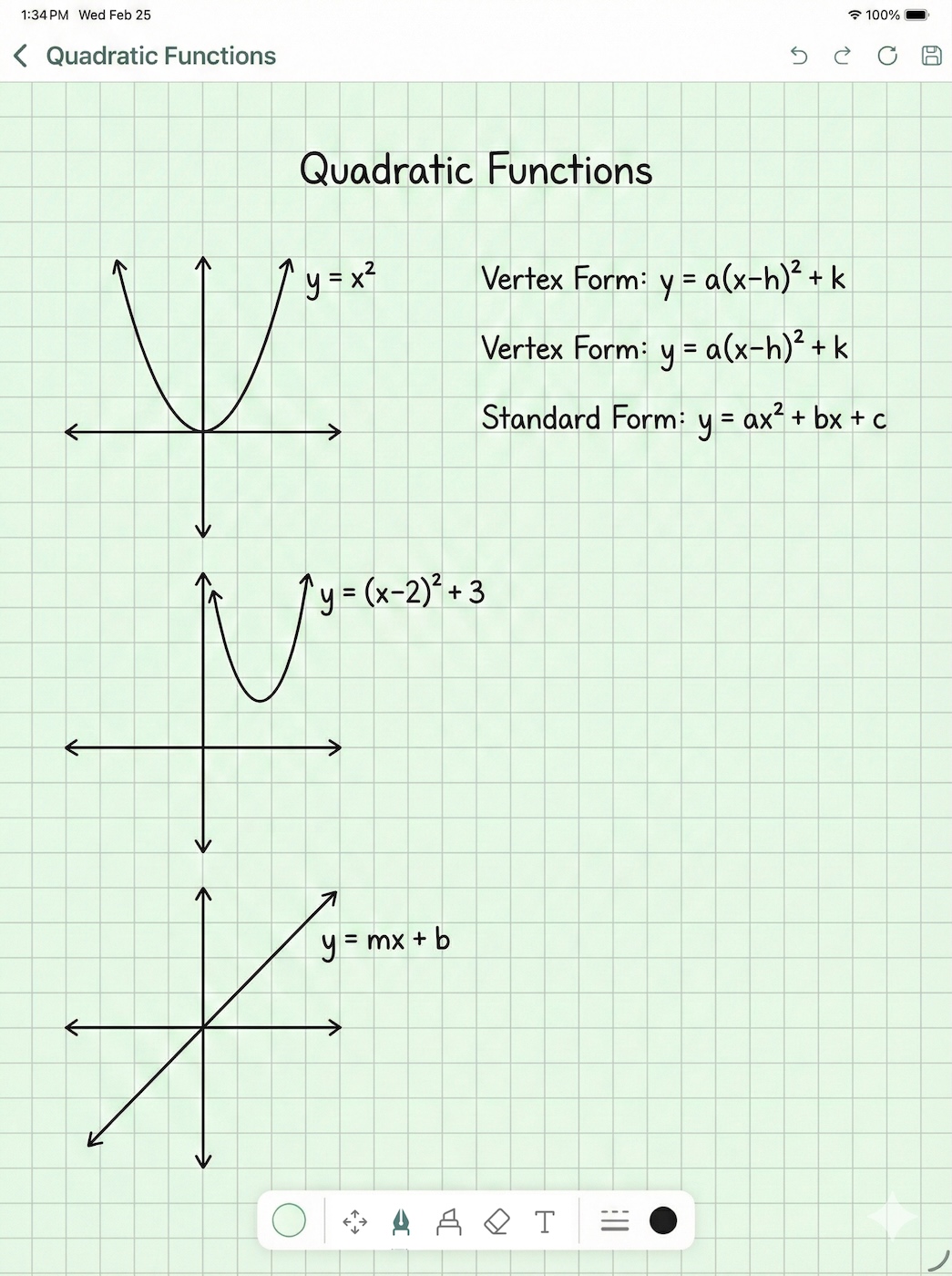
Use the built-in canvas — type, draw, sketch, annotate, just like GoodNotes or Notability. Add diagrams, equations, anything.

2

Tap Any AI Tool

Pick a page and launch any AI feature — summaries, flashcards, mindmaps, Q&As, podcasts and more. All built right in, no copy-pasting.

3

Study & Retain More

Review with spaced-repetition flashcards, test yourself with auto-quizzes, listen to an AI podcast of your notes, and ace every exam.

Writease App – built-in notetaking canvas with AI

The Canvas

A smarter notebook,
built right in.

Writease ships with a full notetaking canvas — write, draw, annotate, and organize just like you would with GoodNotes. The difference? Every page is one tap away from 20+ AI tools that turn your notes into revision material instantly.

Works completely offline

No Wi-Fi needed

Take notes and revisit any previously generated AI results — summaries, flashcards, mindmaps — without any internet connection. Only generating new AI results requires internet.

Flexible writing canvas

Type, draw with Apple Pencil or finger, annotate images, and organize pages freely

AI always one tap away

No copy-paste, no app switching — every AI tool is embedded directly in your workflow

Understands everything on the page

Diagrams, equations, drawings — not just plain text. Full page AI comprehension

Optional cloud backup

Back up and sync your notes across devices whenever you're connected — always on your terms

Complete Toolbox

Every AI tool a student needs

Switch tabs to explore. Hover a card to preview the app screen.

Writease App Screenshot

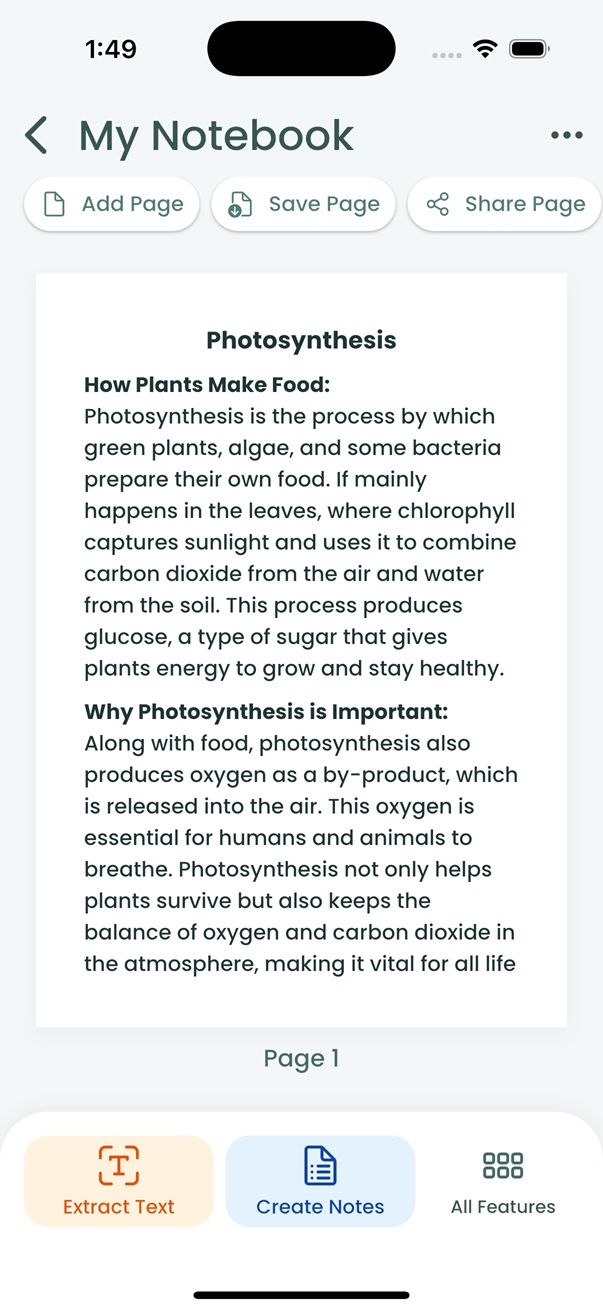
Extract Text

Convert notes to digital text instantly.

Create Notes

Turn paragraphs into structured bullets.

Summarize

Concise summaries of long lectures.

Generate Q&As

Auto-generate potential exam questions.

Translate Notes

Translate into any language instantly.

Highlight Keypoints

AI surfaces the most important ideas.

Correct Spelling

Fix errors and typos automatically.

Enhance Text

Improve grammar, flow, and clarity.

Why Writease

Notes app + AI. Finally together.

Stop juggling multiple apps. Writease does it all in one place.

Feature
Other Notes Apps
AI Agents
✦ Writease
Rich Notetaking Canvas
AI Summaries
Manual export needed
Auto Flashcards
Copy-paste required
AI Podcast from Notes
Mindmaps & Timelines
Manual prompting
MCQ Quiz Generator
Manual prompting
Built for Students · Starts Free
Paid only
Not study-focused

Pricing

Simple, transparent pricing

Start free. Upgrade when you're ready. Cancel anytime from the app.

Free

$0/month

Explore Writease at no cost. No card needed.

  • Full notetaking canvas — write, draw & annotate freely
  • Try all 20+ AI tools — explore every feature
  • ~10 AI generations to get started
  • 1 notebook with up to 10 pages
  • Offline access to your notes & past AI results
  • iOS & Android — no card required
Start Free
Full Power

Pro

$6/month

or $40/year — Special Offer

For students who want zero limits and maximum AI power.

  • Everything in Basic
  • Unlimited AI generations, resets every month
  • Unlimited notebooks — no cap, ever
  • Unlimited pages per notebook
  • Priority support
  • Early access to new features
Get Pro

All plans include iOS & Android access · Prices in USD · Cancel anytime

FAQ

Frequently asked questions

Not at all. Writease has a full built-in notetaking canvas. You write directly inside the app — no physical notebooks required. Use your finger, a stylus, or type with the keyboard.

With GoodNotes + ChatGPT, you write in one app, then manually copy-paste into another to get AI help — and you still have to prompt it yourself. Writease has everything in one app: a full notetaking canvas + 20+ dedicated AI study tools, all one tap away. No switching, no manual prompting, no friction.

All of them. Writease handles everything from humanities (timelines, mindmaps, mnemonics) to STEM subjects (step-by-step equation solving, code execution, chart generation). Whether you're in high school, university, or professional study — it's built for you.

Yes. Your notes are encrypted in transit and at rest. We never sell or share your data with third parties. You can delete your account and all associated data at any time. See our Privacy Policy for full details.

Writease is available on iOS (iPhone & iPad) and Android. It works especially well on tablets with stylus support. Your notes sync automatically across all your devices.

Absolutely. You can cancel your Pro or Annual subscription at any time from the app settings. You'll retain access until the end of your billing period. No questions asked.

Writease

Ready to study smarter?

Join thousands of students who've replaced their stack of apps with one intelligent notebook. Start free — no credit card required.

Available on iOS & Android · Starts free · Cancel anytime