Important Warning
Deleting your account means you'll permanently lose all data, including your notes and all AI-generated content. Once done, access to your profile and assets cannot be recovered.
If you have encountered any problems or technical issues, please don't hesitate to reach out to our support team for assistance before proceeding: Contact Support.
Follow These 3 Simple Steps
Open Profile Page
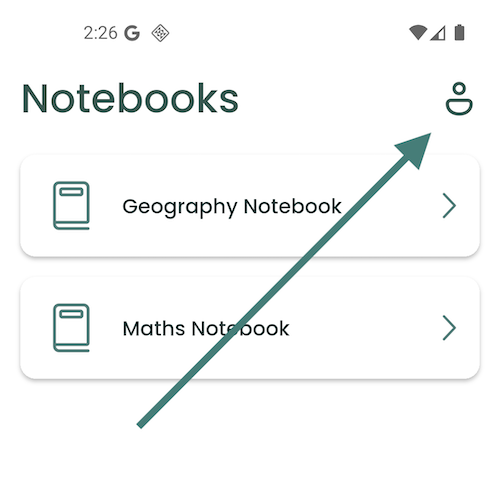
Open the Writease app and navigate to the profile page by clicking the profile button in the top right corner.
Access Settings
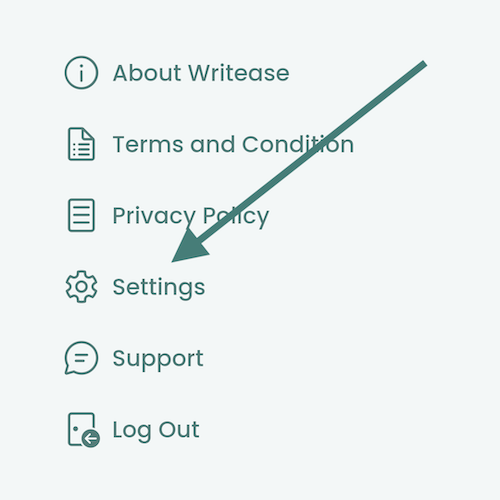
Tap the Settings button, usually represented by a gear icon.
Confirm Deletion
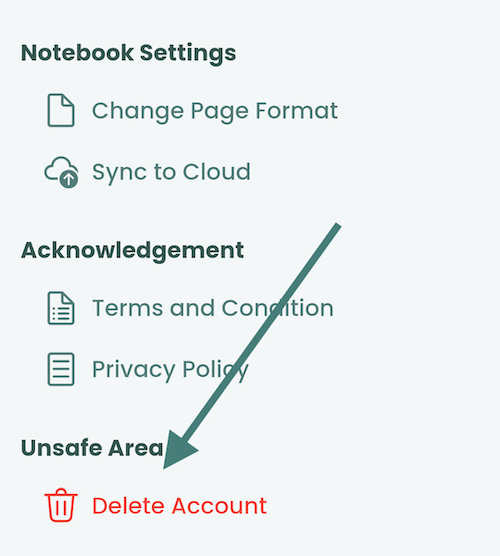
Tap Delete Account and confirm your action by tapping Yes in the confirmation dialog.